
Program your first simulation.
Turn the new project into a small working simulation. The exact example, code and verification screenshots will be developed in this chapter.
- Introduce the smallest useful simulation example.
- Show how to verify that the program is running.
Simulation walkthrough
Use the maintained `pyCANdo/example_rbs_simple` project in code-server. Both CAN channels load the same DBC, and the Python simulation sends the database-backed `Control_01` message every second.
Review the second CAN channel
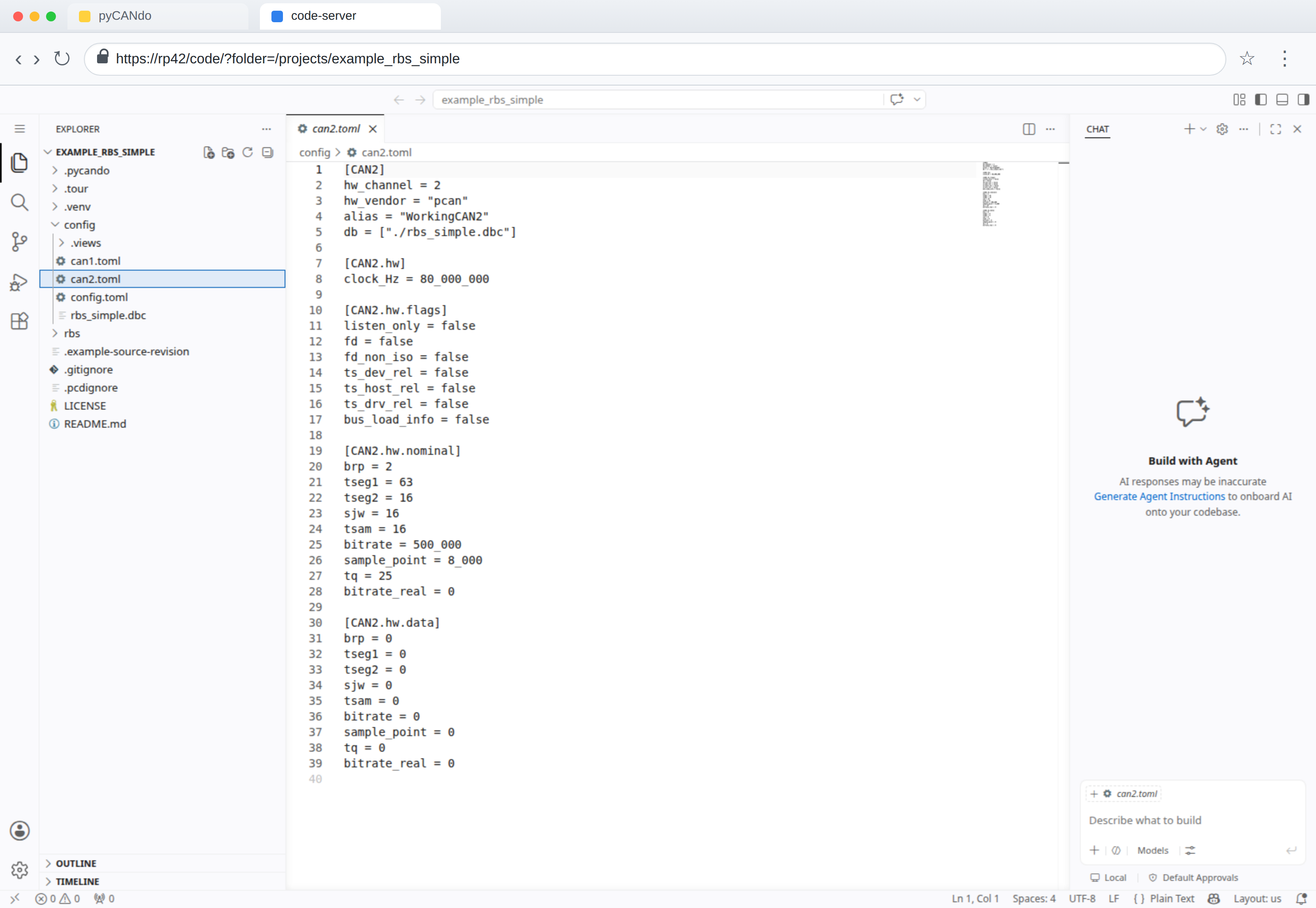
Open `config/can2.toml`. The example assigns PCAN hardware channel 2 to `CAN2` and loads `rbs_simple.dbc`, which makes messages such as `Control_01` available by name.
 Copy can2.toml
Send Control_01 every second
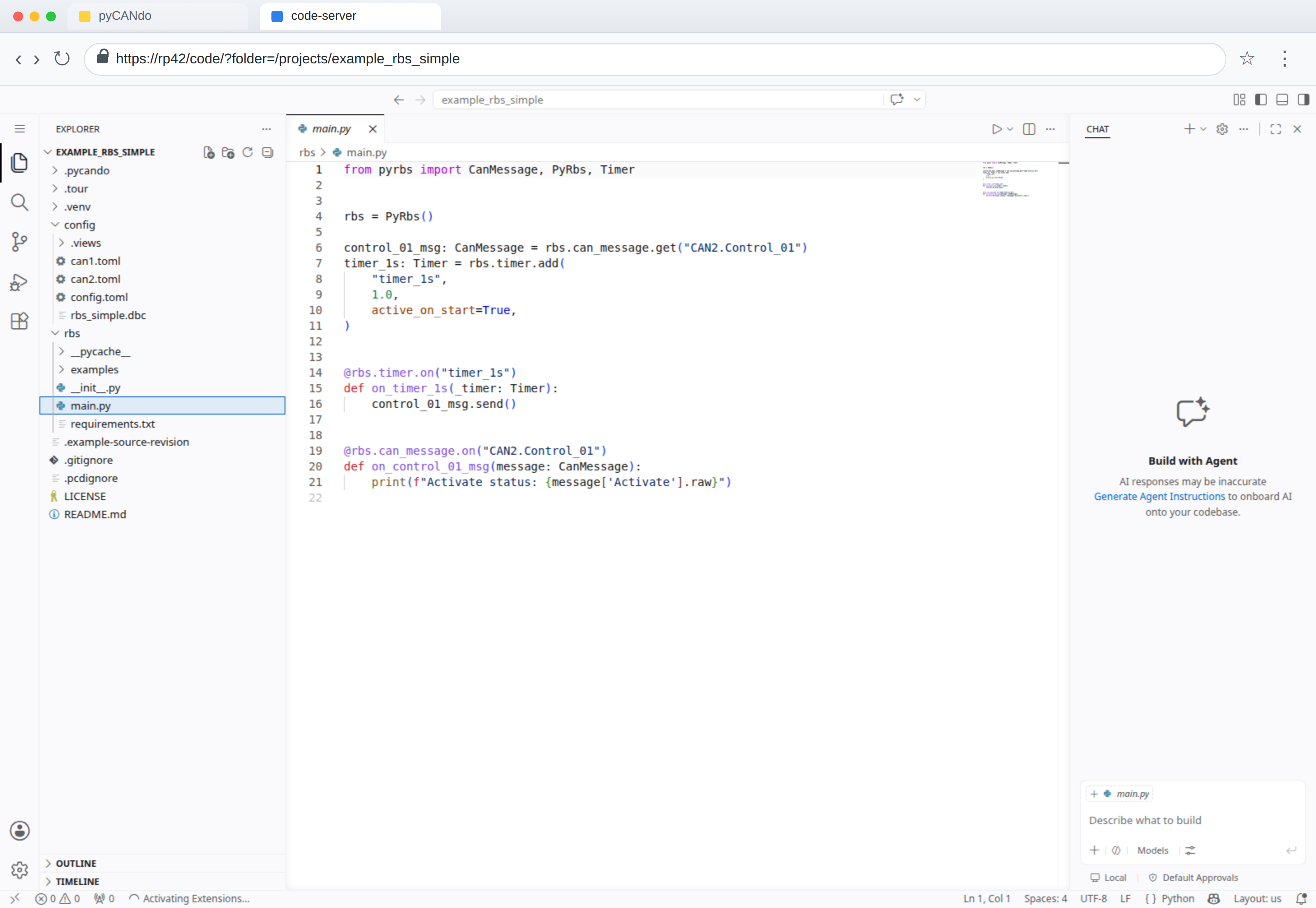
Open `rbs/main.py`. The simulation resolves `CAN2.Control_01` from the DBC, starts a one-second timer automatically and sends the message whenever the timer elapses. The message callback prints the raw `Activate` signal value when the frame is received.
 Copy main.py
Change a signal on CAN1 and receive it on CAN2
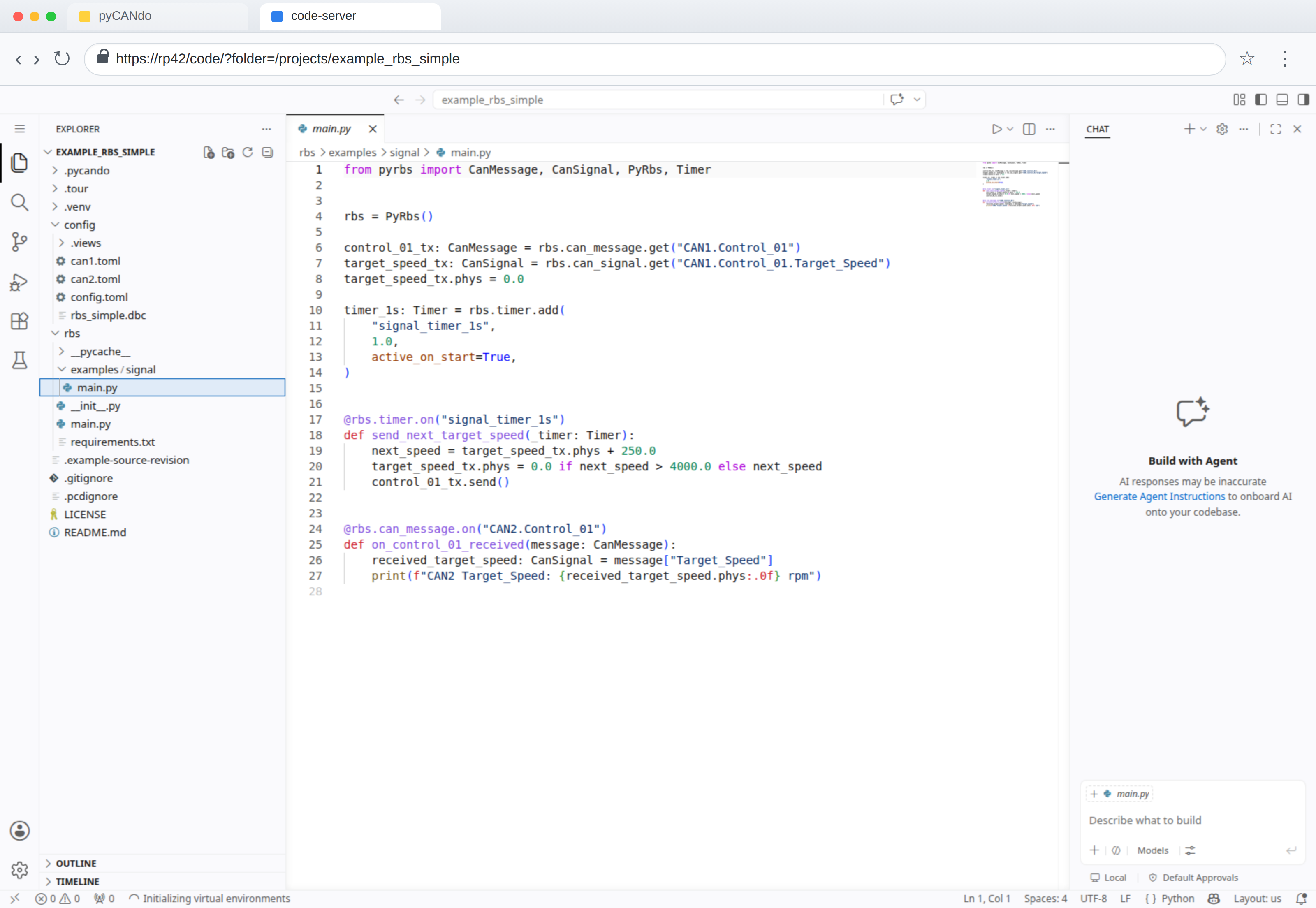
Open `rbs/examples/signal/main.py`. This extended example leaves the default `rbs/main.py` untouched. With CAN1 and CAN2 connected to the same CAN bus, it accesses the DBC-backed `Target_Speed` signal on CAN1, changes its physical rpm value, sends `Control_01`, and reads the received signal from the same message on CAN2.
 Copy main.py
Create a log file
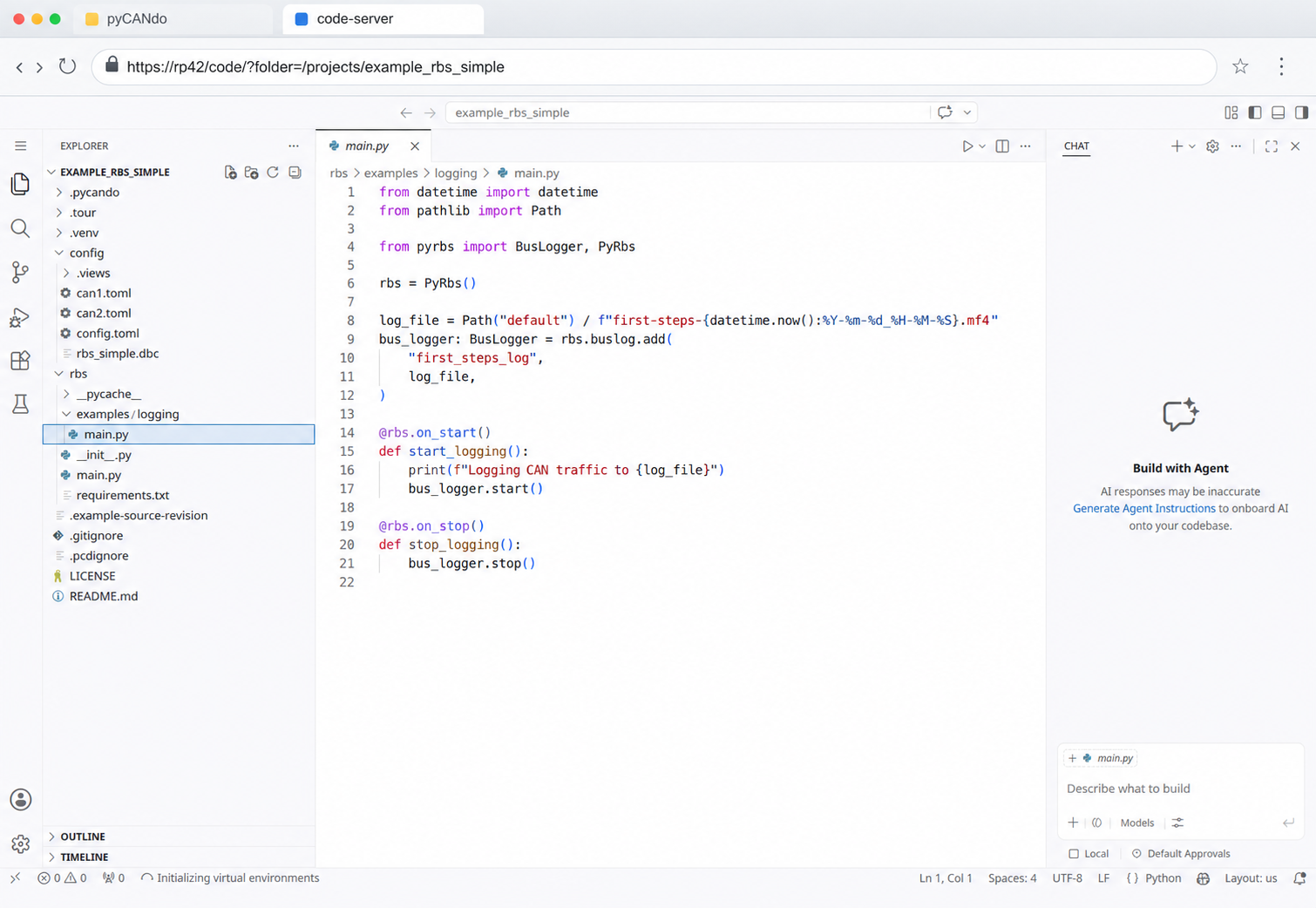
Open `rbs/examples/logging/main.py`. This example creates a timestamped MF4 trace in the project's `default` trace folder. It registers a pyRBS `BusLogger` for all available CAN channels, starts recording when the simulation starts, and stops the logger during shutdown so the log file is exported correctly.
 Copy main.py