Each pyCANdo device has a custom timeseries database up and running optimised for CAN-Bus data. This database is always fed by incoming CAN-Bus traffic, regardless of a configured logging in the code. So no frame is lost by a missed trigger condition.
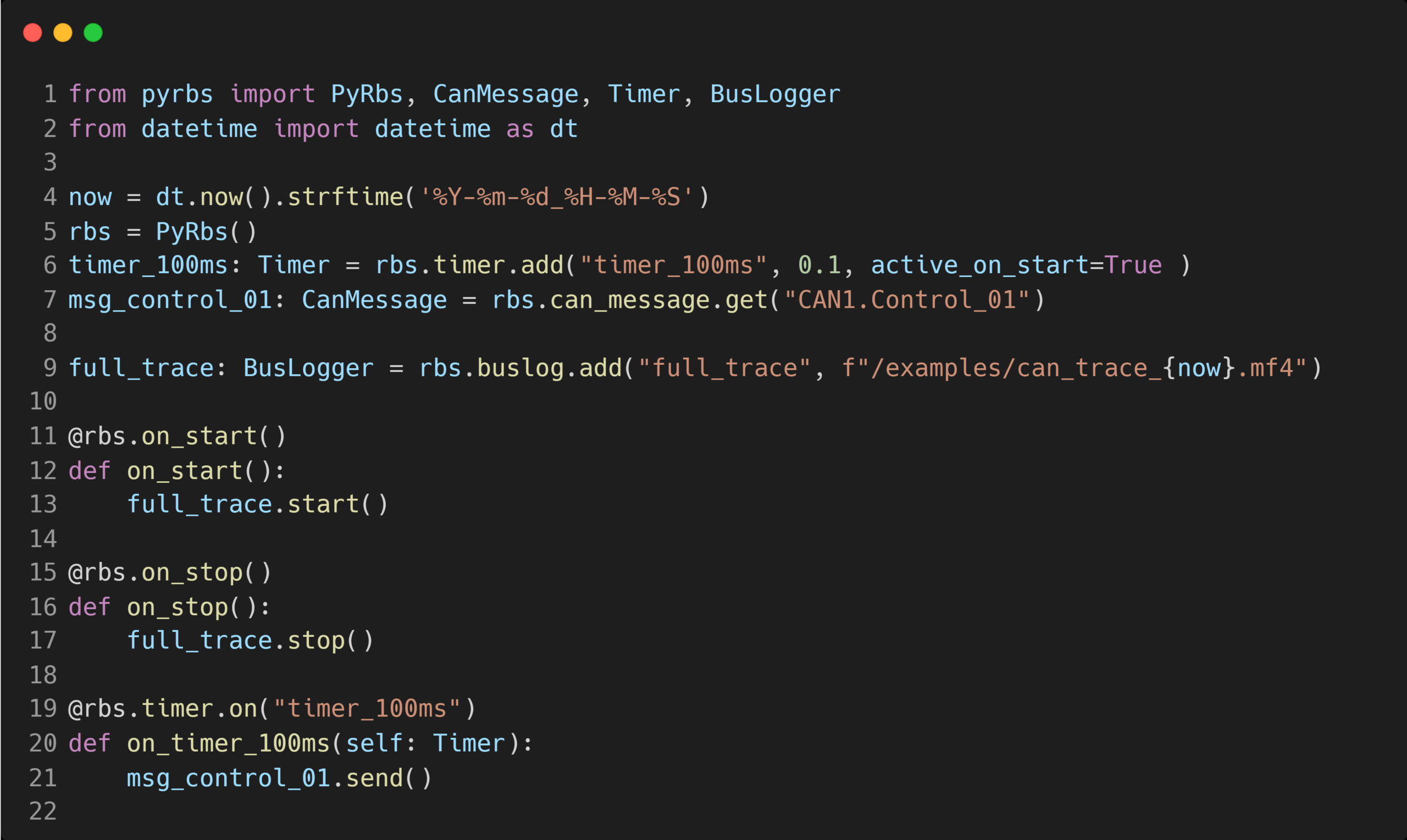
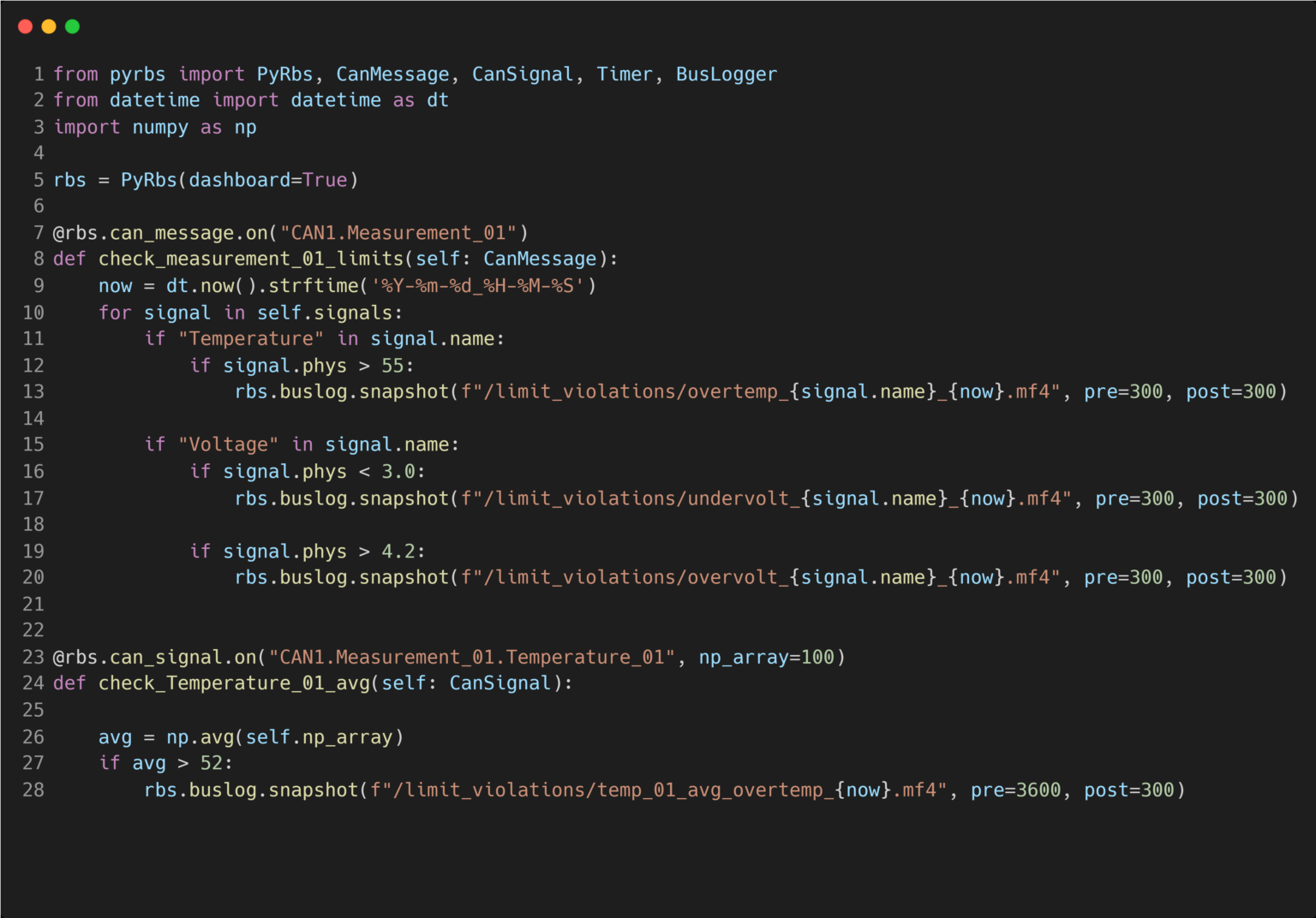
By the use of the buslog class you define exports from this top level database into a file format of your choosing. Since the database is running on a different core a file export has no impact on the performance of your simulation. Logging triggers and snapshots are just metadata entries.
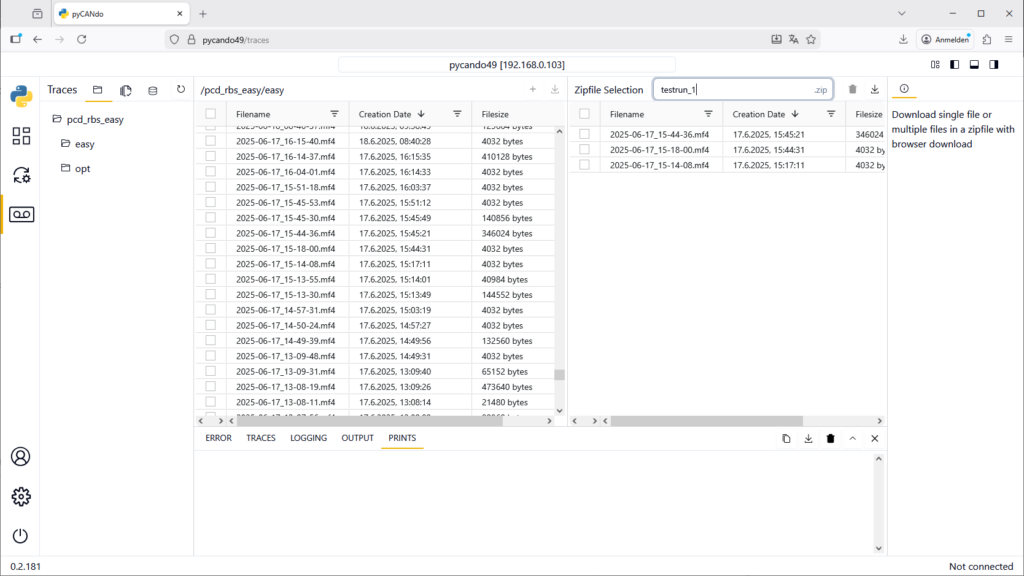
This also allows for individual exports of CAN-Traces from the pyCANdo control dashboard in case a logging trigger was missing in the code or there was a unintentional power cut.
Besides the classic start and stop log file creation, you can create a snapshot. Here you configure a pre and post trigger time in seconds and place it in the restbus code.
This is perfect for debugging on a long running test.
Download Trace Files
Browse through the locally available trace files and download them via your web browser. Alternatively, you can create a NetDrive connection and access the files directly in Windows File Explorer.